Cookies for analytics and advertising
We use cookies for analytics and advertising, both sent to Google. Refusing changes nothing you can see.Read the privacy page
Converting a PNG to JXL is usually done in the hope of a smaller file that is still exact, and it delivers neither by default. JPEG XL beats PNG convincingly on photographic content and loses badly on the flat, hard-edged material most PNGs actually contain — and the encoder here is driven by a quality setting rather than a lossless mode.
Up to 100 files at once. Mixed formats are fine.
They convert one after another and download together as a ZIP.
PNG to JXL
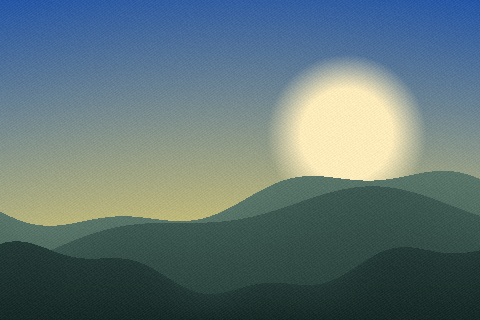
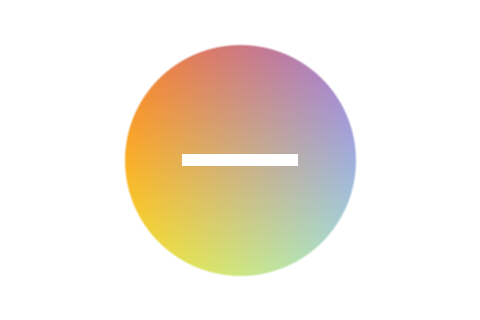
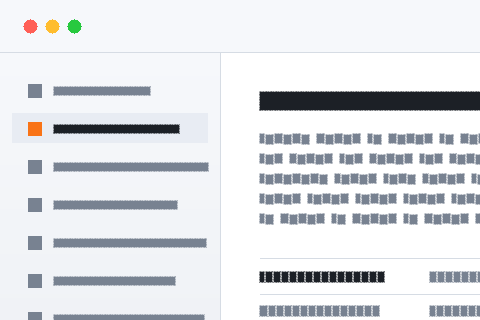
This site keeps three sample scenes and encodes them through the same pipeline this page uses, so the byte counts are what this converter produces rather than a benchmark from elsewhere. At 480 by 320 and the default quality: the screenshot-like scene is 2,608 bytes as PNG and 13,252 as JXL. The flat graphic is 7,136 as PNG and 5,016 as JXL. The photograph is 142,044 as PNG and 7,240 as JXL.
The middle and last figures are the ones that get quoted about JPEG XL, and the first is the one that matters for most PNG libraries, because what people keep as PNG is overwhelmingly screenshots, interface exports, diagrams and documentation assets. PNG’s filtering and Deflate are extremely good at long runs of identical pixels and hard edges, which is exactly what those images are made of, and a general-purpose photographic codec has no advantage there at all. Converting that material to JXL makes it bigger and lossy at the same time.
PNG is lossless, and that is nearly always why a file is a PNG rather than a JPG: the pixels are the record. JPEG XL has a true lossless mode of its own, which is what most articles about it are describing. That mode is not what this converter uses — the encoder is handed a quality number and its lossless flag stays off.
Measured through this site’s own encoder on a 256 by 256 test image: at the default quality of 82, a gradient came back with 73,647 of its 262,144 samples changed, the worst by 21 levels. At quality 100, 334 samples differed and none by more than one, and flat artwork came back bit-identical. So quality 100 is near-lossless and worth using if you convert at all — but "near-lossless" and "lossless" are different promises, and only one of them is what PNG was giving you.
Photographic ones. A photograph stored as PNG is a file in the wrong format — 142,044 bytes against 7,240 in the sample above, a factor of nineteen — and that happens constantly: an export from a tool that defaulted to PNG, a screenshot of a photograph, a frame grabbed from a video, an image someone saved without thinking about it. Those files are pure waste and any modern codec fixes them.
Everything else is doubtful. A screenshot, a UI export, a chart, a logo, a scanned document, a line drawing: PNG is already close to the right answer, and the measurement says so. The useful move is therefore to sort the library rather than convert it wholesale. If a PNG is over a megabyte and is a photograph, it is a candidate; if it is a few kilobytes of flat colour, leave it alone.
For most people arriving here the real goal is "these PNGs are too big", and there is a conversion-free answer to that. Running oxipng over a PNG re-encodes the same pixels with better filtering and a stronger Deflate, changing nothing about the image and often removing most of the bytes.
The effect is not marginal. This site’s own image pipeline measured a 960 by 640 photograph at 1,366 KB straight from the PNG encoder and 468 KB after oxipng at level 2 — two thirds gone, for 464 ms of work and no pixel changed. Level 3 cost 1,133 ms and saved nothing further, which is why 2 is the setting. If the library has never been through an optimiser, that is where the easy saving is, and it keeps every property that made the files PNGs.
Both formats carry a full alpha channel, so a cut-out image comes through with its transparency intact and nothing flattened. That part of the conversion is clean and needs no settings.
Depth is a different story. PNG can store 16 bits per channel and JPEG XL can store 32, but this pipeline decodes everything to 8 bits, so a 16-bit PNG — a rendered height map, a scientific export, a high-bit-depth screenshot from a colour-managed tool — is reduced by keeping the high byte of each sample before the encoder ever sees it. Neither format is at fault; the converter simply cannot hand JPEG XL more than eight bits, and anyone storing 16-bit PNGs deliberately should not route them through this page.
PNG is the most universally supported image format in existence: every browser, every operating system, every office suite, every upload form, every phone. That ubiquity is frequently the actual reason a file is a PNG, quite apart from the losslessness.
JPEG XL support is partial. GIMP and ImageMagick handle it, Photoshop needs a plug-in, browser support is inconsistent, and a great deal of everyday software shows an unknown-file icon. Converting a shared library — documentation images, assets a team pulls from, screenshots attached to tickets — makes those files unopenable for some of the people who need them, and that cost is usually much larger than the byte saving being chased. The honest use is a private archive under your own control.
A PNG can carry EXIF, XMP and an ICC profile, and screenshots from colour-managed systems frequently do carry a profile. None of it travels: every image conversion here decodes to raw pixels and re-encodes, so all of it is dropped, and there is no setting anywhere on the page that can hold on to it.
Losing the ICC profile is the one with a visible consequence. A PNG tagged with Display P3 and converted here becomes an untagged 8-bit RGB image, which most software will then interpret as sRGB, so saturated colours flatten slightly. For screenshots and documentation that is invisible; for design work sampled against brand colours it is not, and it is another reason to keep the PNG as the master whatever else you do.
If the file is a photograph and the destination is a web page, PNG to WebP works everywhere and PNG to AVIF is smaller again on flat content. If it is a photograph destined for a person, PNG to JPG is what they are expecting. Both of those are better-supported answers to the same size problem.
If the file must stay exact, it should stay a PNG — that is the format’s job and nothing here does it better. And if the library is large enough that storage genuinely is the problem, compressing the PNGs in place solves it without changing what they are, which is almost always the right trade for a collection that other people also use.
The PNG is decoded and the JXL written by codecs compiled to WebAssembly and fetched only when they are needed, entirely inside the tab. Nothing crosses the network, there is no account, and the free limit is 100 MB per file — comfortably more than any screenshot and enough for most rendered exports.
Batches work: drop a folder, each file converts with its own progress row, and the results arrive as a ZIP. JPEG XL encoding is slower than WebP and faster than AVIF. Convert a handful of representative files first and compare the byte counts, because on the flat material that dominates most PNG libraries this conversion makes files larger, and discovering that on five files costs a minute where discovering it on five thousand costs an afternoon.
| PNG | JXL | |
|---|---|---|
| Full name | Portable Network Graphics | JPEG XL |
| File extension | .png | .jxl |
| Media type | image/png | image/jxl |
| Compression | Lossless — nothing is discarded | Either, depending on the setting |
| First published | 1996 | 2021 |
| Published by | PNG Development Group | Joint Photographic Experts Group |
| Specification | ISO/IEC 15948 | ISO/IEC 18181 |
| Licensing | Open standard | Open standard |
| Standing today | Current | Niche |
| Bit depth | 16 | 32 |
| Colour it can describe | RGB, greyscale, indexed palette | RGB, greyscale, wide gamut |
| Largest image | 2,147,483,647 px per side | — |
| Opens in a browser | Every browser | Some browsers |
| Considered instead | WebP, SVG | AVIF, WebP |
Transparency survives. Both PNG and JXL store an alpha channel, so a cut-out stays cut out and nothing is filled in behind it.
JXL can hold animation; a PNG is one frame. The result is a single-frame file in a format that could hold more.
Only some browsers read JXL. It is the less portable of the two, so it is worth being sure the program at the other end accepts it before sending one.
GIMP reads both PNG and JXL, so there is a way to check the result against the original without a second tool.
The two are aimed at different work: PNG at screenshots, line art and logos and the web, JXL at archiving and photography. That is worth weighing before converting, because the reason one exists is usually the reason the other is awkward.
PNG is PNG Development Group's format, published in 1996. It records 16 bits per channel.
JXL comes from Joint Photographic Experts Group and dates from 2021, specified as ISO/IEC 18181. GIMP and ImageMagick all read it.
PNG was published in 1996 and JXL in 2021. The older one is generally the safer file to hand to somebody; the newer one usually does the job in fewer bytes.
No. This conversion runs entirely inside your browser, so the file never leaves your device. You can confirm it yourself: open the network tab of your browser's developer tools and convert something. You will see the page load, plus the analytics and advertising the site is paid for with — and nothing carrying your file. The engine behind this particular pair is jSquash, WebAssembly builds of the reference image codecs; your browser fetches it once and caches it.
It depends on the content, and for the material people usually keep as PNG the answer is often no. On this site’s samples the screenshot-like scene is 2,608 bytes as PNG and 13,252 as JXL — five times larger. The photograph goes the other way: 142,044 as PNG against 7,240 as JXL.
Not at the default. The encoder is driven by the quality setting and its lossless mode is never switched on here. At quality 100 the result is near-lossless — measured on a gradient, 334 of 262,144 samples came back off by one level and flat artwork came back bit-identical — but that is not the same guarantee PNG gives you.
Yes, unless you set quality to 100, and even then it is near-exact rather than guaranteed exact. If a pixel-for-pixel copy is the requirement — a screenshot in a bug report, a document scan, a diff reference — PNG is already the correct format and there is nothing to gain here.
You can convert a JXL back to PNG, but it will be a copy of the decoded picture rather than the original file. Nothing here is reversible byte for byte, so keep the PNGs if the PNGs are the record.
GIMP and ImageMagick read and write it; Photoshop needs a plug-in; browser support is partial rather than universal, and much ordinary software shows an unknown-file icon. PNG is read by everything, which is a large part of why the library is PNG in the first place.
Compress them as PNG. The compression tool here runs oxipng over the file, which typically removes a large share of the bytes with no change to a single pixel — measured on a 960 by 640 photograph, 1,366 KB from the encoder became 468 KB after oxipng.
The claims this page makes about PNG and JXL are checkable, and these are the documents that settle them.