Cookies for analytics and advertising
We use cookies for analytics and advertising, both sent to Google. Refusing changes nothing you can see.Read the privacy page
JPG for photographs, PNG for anything with text, sharp edges or transparency.
Choose PNG when
Screenshots, logos, diagrams, line art and anything that has to keep a transparent background. PNG stores every pixel exactly, so text stays crisp and a cut-out stays cut out.
Choose JPG when
Photographs, and anything that looks like one — soft gradients, no hard edges. JPG throws away detail the eye is poor at noticing, which on a photograph is close to free and typically saves ninety per cent.
JPG has no transparency at all. A PNG with a transparent background becomes a JPG with a solid one, usually white or black, and no setting brings it back.
JPG has no alpha channel. A transparent PNG comes out with those areas filled in — white unless something else is set — and no setting in JPG brings the transparency back.
PNG carries up to 16 bits per channel and JPG stores 8. The extra precision is what survives heavy correction without banding, so the conversion is best made after the editing rather than before it.
Adobe Photoshop and GIMP read both PNG and JPG, so there is a way to check the result against the original without a second tool.
The file gets substantially smaller, and it gets smaller by discarding detail. PNG keeps everything; JPG keeps what the eye is poor at noticing. On a photograph that trade is close to free; on text, a screenshot or a line drawing it is visible as haloing around the edges.
PNG is PNG Development Group's format, published in 1996. It records 16 bits per channel.
JPG comes from Joint Photographic Experts Group and dates from 1992, specified as ITU-T T.81. Adobe Photoshop, GIMP and Preview all read it.
PNG has nowhere to put IPTC fields, which hold captions, credits and keywords and the GPS coordinates, so those go no further than the JPG. Worth checking before the original is deleted, and worth knowing if the point was to strip it.
PNG supports transparency and JPG does not. That is room the result has and the original never used — converting does not create a transparent background, it only makes one possible afterwards.
Adobe Photoshop and GIMP read both JPG and PNG, so there is a way to check the result against the original without a second tool.
The result is larger than the original and no better. JPG has already discarded detail, and PNG stores what is left without discarding more — it prevents further loss rather than undoing the first one.
JPG is Joint Photographic Experts Group's format, published in 1992. It records 8 bits per channel.
PNG comes from PNG Development Group and dates from 1996, specified as ISO/IEC 15948. Adobe Photoshop, GIMP and Paint.NET all read it.
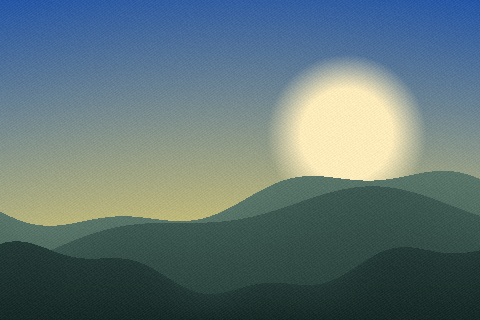
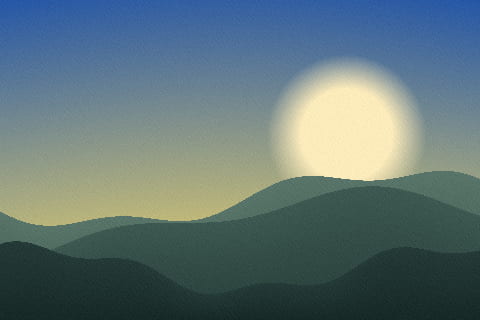
| PNG | JPG | |
|---|---|---|
| Full name | Portable Network Graphics | JPEG Image |
| Extension | .png | .jpg, .jpeg, .jpe |
| Media type | image/png | image/jpeg |
| Compression | Lossless — nothing is discarded | Lossy — file size is bought with quality |
| This site can write it | Yes | Yes |
Which to choose
Photographs to JPG. Everything with hard edges — screenshots, logos, icons, charts, diagrams, text, line art — to PNG. That single sentence answers the question correctly for the overwhelming majority of images anyone will ever save, and everything below is an explanation of why.
The reason is that the two formats were designed for opposite kinds of picture. JPEG assumes smooth gradual change, which is what a photograph is made of, and it exploits that to throw away detail nobody will miss. PNG assumes exactness matters, stores every pixel, and pays for it in size — which is a bad trade for a sunset and the right one for a screenshot of a spreadsheet.
It is worth seeing once. JPEG compresses in blocks of eight by eight pixels and describes each block as a sum of smooth waves. A photograph fits that model. A hard black line on white does not — describing an abrupt edge with smooth waves leaves a ripple, so text acquires a grey halo, thin lines blur, and flat backgrounds develop faint blotches around anything dark.
At high quality settings it is subtle and it is there. On a screenshot of code, an interface mock-up or a chart with fine gridlines, the difference against a PNG of the same image is immediate, and it does not go away by raising the quality — it only becomes a larger file with slightly less of it.
Nothing bad, and nothing useful. It stores the photograph exactly, which sounds like the better option until you look at the size: a picture that is 800 kilobytes as a JPG is routinely four or five megabytes as a PNG, for a result that is visually identical at normal viewing size.
Photographs have no runs of identical pixels for lossless compression to exploit — every pixel differs slightly from its neighbour, which is precisely what makes them photographs. So a PNG of a photo is close to the raw data, and the four extra megabytes buy detail that a viewer cannot see and a JPEG at high quality had not thrown away.
JPEG has no transparency at all. Not a limited kind, none — every pixel is opaque, and there is no setting anywhere that changes it. A PNG logo with a transparent background converted to JPG comes back with a solid background, usually white, and nothing recovers it afterwards.
That is why logos, icons, product cut-outs and any graphic that has to sit on a coloured background are PNGs. It is also the single most common reason a conversion is regretted: the transparency was the point, and it was silently replaced by white somewhere in the pipeline.
Every time a JPG is opened, changed and saved, it is compressed again from an already compressed source. Crop, save, adjust, save, crop, save — after a handful of rounds the artefacts are visible even in a photograph, and this is how a picture that has been through a chat app, an email and two edits ends up looking like it was photographed off a screen.
PNG has no such behaviour. It can be saved a thousand times and the thousandth is identical to the first. So the working copy of anything being edited should be PNG or a real editing format, with JPG produced once at the end. That is the same discipline as recording audio in WAV and delivering MP3, and for exactly the same reason.
On a website, both are outclassed. WebP does what JPG does at about a third less size and what PNG does with transparency intact, and every current browser reads it. AVIF goes further on photographs. If the image is going onto a web page, the modern answer is to serve one of those with a JPG or PNG fallback, not to choose between the two.
The reason this comparison still matters is everything outside a browser: email attachments, documents, printing, upload forms, phone galleries, older software, and handing a file to a colleague. There JPG and PNG remain the two formats that always work, and the rule at the top of this page is the one to follow.
A screenshot containing a photograph — a design mock-up, a slide with an image on it. The text wants PNG and the photograph wants JPG. Choose PNG: blurred text is more noticeable than a slightly larger file, and it is the part people will read.
A photograph with a transparent cut-out. Only PNG or WebP can do it, so the size has to be accepted, and WebP is much the better choice where it is available.
And a photograph you were handed as a PNG. Converting it to JPG will cut the size by eighty per cent or more with no visible loss, and it is one of the most worthwhile conversions there is — as long as the PNG was not the master copy of something still being worked on.
Neither — they are for different pictures. Photographs go to JPG, where the compression matches how a photograph is made. Screenshots, logos, charts, text and line art go to PNG, where hard edges stay hard. Using the wrong one is visible in both directions.
JPEG describes each block of pixels as smooth waves, which suits a photograph and cannot represent an abrupt edge cleanly. Text gets a grey halo and thin lines blur. Raising the quality reduces it and does not remove it — PNG is the right format for that image.
Because PNG stores every pixel exactly and a photograph has no repetition to compress. A picture that is 800 KB as a JPG is often four or five megabytes as a PNG, and the extra bytes buy detail nobody can see at normal viewing size.
No. JPEG has no transparency of any kind, and converting a transparent PNG produces a solid background — usually white — that nothing recovers afterwards. For transparency, use PNG or WebP.
Yes. Each save recompresses an already compressed image, so a few rounds of open-edit-save produce visible artefacts even in a photograph. Keep the working copy as PNG or an editing format and produce the JPG once, at the end.
Ideally as fallbacks. WebP matches JPG at about a third less size and keeps transparency like PNG, and every current browser reads it. PNG and JPG remain the right answer everywhere outside a browser — email, documents, printing, upload forms.
The claims this page makes about PNG and JPG are checkable, and these are the documents that settle them.