Cookies for analytics and advertising
We use cookies for analytics and advertising, both sent to Google. Refusing changes nothing you can see.Read the privacy page
Converting AVIF to GIF reduces the picture to 256 colours and writes a single frame, which makes it the wrong conversion for most people and the only available one for a few. GIF is accepted by systems that have never heard of AVIF, and that acceptance is the entire reason to pay the price.
Up to 100 files at once. Mixed formats are fine.
They convert one after another and download together as a ZIP.
AVIF to GIF
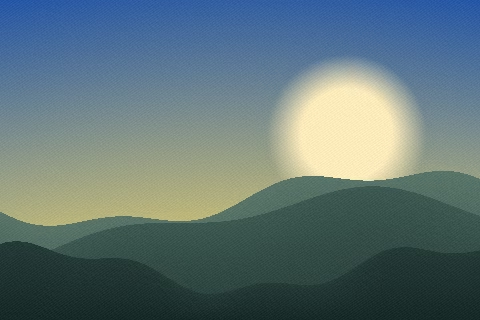
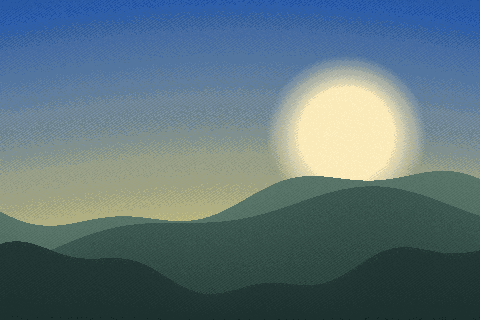
Two different people arrive at this page and only one of them should stay. The first is facing a system whose accepted formats are JPG, PNG and GIF: a forum attachment box, a wiki uploader, an internal tool from before the last redesign, a signature block in an old mail client. For that person GIF is not a choice, it is the intersection of what they have and what the box will take.
The second came looking for an animation, and this is the wrong page for them. Nothing here turns a still picture into a moving one, and an AVIF that already moves does not stay moving through this conversion. If your destination will accept a PNG, use PNG instead — it is lossless, it keeps every colour, and it handles transparency properly. GIF is worth choosing only when something specifically refuses everything else.
AVIF can hold a sequence and GIF can hold a sequence, so on the specifications this looks like a conversion that should work. It does not. The engine decodes a single image and the GIF encoder writes a single frame, so an animated AVIF comes out as one still picture and the rest is gone.
It is said here in the second section rather than buried in a note because a converter that quietly delivers a tenth of a file is worse than one that refuses. If the thing genuinely has to keep moving, no image format on this site is the right answer: an MP4 built from whatever produced the animation is smaller than any animated image format at the same content and plays in everything, including the places GIF is being chosen for.
This is the defining loss of the pair. GIF is an indexed format with a palette of at most 256 entries, fixed by the GIF89a specification. AVIF describes up to twelve bits per channel and wide colour gamuts, which is millions of distinguishable colours in the ordinary case and considerably more in the unusual one. Everything in between has to be thrown away.
What that looks like depends entirely on the picture. A logo, a diagram, a screenshot of a form or a piece of flat artwork may have fewer than 256 colours to begin with and can come through almost untouched. A photograph cannot: skies band into visible steps, skin tones go blotchy, and smooth gradients turn into stripes. Banding on photographs is the failure mode this registry records against GIF, and it is not a bug to be tuned away. The irony is that gradients are exactly what AVIF is best at holding, so the pictures that survived the web most gracefully are the ones this conversion damages most.
Something has to decide which colours survive, and doing it badly is what makes bad GIFs. Rounding each channel to a fixed grid is the cheap approach and it produces exactly the posterised look people associate with the format. This converter uses gifenc, whose quantiser is a port of PnnQuant.js: it starts from the colours in the image and repeatedly merges the closest pair until 256 are left, so the surviving entries are the ones whose loss changes the picture least.
The palette is built from a slightly reduced colour space rather than the full one, which costs a little accuracy and saves seconds on a large photograph. For a format that ends at 256 colours the trade is heavily worth making. The result is not something anyone would call obviously degraded on ordinary content, and it is still a GIF: the ceiling is the format’s, not the encoder’s.
Fewer colours does not mean fewer bytes, and this is where the intuition fails. GIF compresses losslessly with a scheme from 1987 designed for flat graphics with runs of identical pixels. AVIF is a still frame of a 2019 video codec that spends real computation finding the most compact possible description of a picture.
So a photograph that was 180 KB as an AVIF can come back as a GIF several times that size, having lost most of its colours on the way. You pay twice — in fidelity and in bytes — and you get compatibility. That is a bad trade unless the compatibility is the thing you actually need, which is why the first section spends its time on who needs it.
The one case where the arithmetic is kinder is flat artwork with large areas of a single colour, which is what the 1987 scheme was built for. A diagram, a logo on a plain field or a screenshot of a mostly white page can compress well as a GIF and lose nothing visible, because it never had more than a couple of hundred colours to give up.
AVIF carries a full alpha channel: a pixel can be any degree of transparent, which is what makes antialiased edges and feathered shadows look right against any background. The GIF format offers one bit of that — a palette entry nominated as invisible — and the encoder on this page nominates none. Every pixel of the file you download is opaque.
So a cut-out is composited rather than translated. The transparent areas are painted with the background colour set above the drop zone, white unless you change it, and the picture is quantised afterwards, which means the feathered edge blends into that colour instead of hardening against it. Set the colour to the one the image will actually sit on and the result is clean. If the destination will take a PNG, the problem disappears entirely.
The places are specific and they are all old: forum software whose upload validator lists three extensions, wikis configured a decade ago, ticketing systems, learning platforms, email signature editors, embedded documentation viewers, internal tools nobody owns any more. GIF is read by every browser and by essentially every piece of image software ever written, which is the one thing it still has that AVIF does not.
The registry marks GIF as a legacy format, and legacy is exactly the right word — it is not current, and it is not going away, because the software that only knows it is not going away either. When you are on the wrong side of one of those uploaders, the format’s age is the asset and everything else on this page is the invoice.
The maximum width control resizes in the same pass that encodes, and using it is usually the right move here. Fewer pixels means fewer places for the palette reduction to be visible, and a GIF displayed at 600 pixels wide that was built at 600 pixels wide looks considerably better than one built at 3,000 and scaled down in the browser.
It also addresses the size problem from the section above, and it addresses it honestly: fewer pixels rather than a worse description of the same pixels. Resizing afterwards in another tool is the worse order, because it resamples an image that has already been reduced to 256 colours and smears the palette entries into intermediate values the file cannot hold.
PNG is the answer for almost everybody who lands here. It is lossless, it keeps every colour, it carries a real alpha channel, and it has been read by everything since the late nineties — so any system modern enough to have been configured this century will take one. The only cost is file size, and for a screenshot or a piece of artwork that cost is small.
JPG is the answer for a photograph headed somewhere that wants a small file and does not need transparency. WebP is the answer if the blocker is a toolchain rather than an era. GIF is the answer when the accepted list literally says GIF and nothing else, and reading this far to confirm that is a better use of five minutes than converting first and looking at the result afterwards.
Both halves run in the browser tab on your own processor: jSquash decodes the AVIF, gifenc quantises and writes the GIF, and no part of the file is uploaded. There is no account, no queue and no daily allowance, and the free ceiling is 100 MB per file, which no web-delivered AVIF will approach.
That also makes this work on a machine that cannot open the source at all. If double-clicking the AVIF does nothing because the operating system has never heard of it, the browser is still the one piece of software that reads it, and the conversion happens inside the browser. A folder of AVIFs converts in a single pass and comes back as one ZIP with per-file progress.
| AVIF | GIF | |
|---|---|---|
| Full name | AV1 Image File Format | Graphics Interchange Format |
| File extension | .avif | .gif |
| Media type | image/avif | image/gif |
| Compression | Either, depending on the setting | Lossless — nothing is discarded |
| First published | 2019 | 1987 |
| Published by | Alliance for Open Media | CompuServe |
| Specification | AV1 Image File Format | GIF89a |
| Licensing | Open standard | Open standard |
| Standing today | Current | Legacy, still read everywhere |
| Bit depth | 12 | 8 |
| Colour it can describe | RGB, YCbCr, wide gamut | indexed palette |
| Largest image | 65,536 px per side | 65,535 px per side |
| Opens in a browser | Current browsers | Every browser |
| Considered instead | WebP, JXL, JPG | WebP, MP4 |
GIF has no alpha channel. A transparent AVIF comes out with those areas filled in — white unless something else is set — and no setting in GIF brings the transparency back.
GIF holds a single still image. An animated AVIF keeps its first frame and loses the rest, so a conversion is a way to take a still out of one, not a way to move it.
GIF stores at most 256 colours per frame. A photograph converted into one is reduced to a palette, which is what makes the sky look stepped rather than smooth — it is the format, not a quality setting.
AVIF carries up to 12 bits per channel and GIF stores 8. The extra precision is what survives heavy correction without banding, so the conversion is best made after the editing rather than before it.
GIF opens in every current browser. AVIF has narrower browser support than that. If the file is going onto a web page or into a form, that is usually the whole reason for the conversion.
GIMP and ImageMagick read both AVIF and GIF, so there is a way to check the result against the original without a second tool.
AVIF is Alliance for Open Media's format, published in 2019. It records 12 bits per channel.
GIF comes from CompuServe and dates from 1987, specified as GIF89a. GIMP, Adobe Photoshop and ImageMagick all read it.
GIF was published in 1987 and AVIF in 2019. The older one is generally the safer file to hand to somebody; the newer one usually does the job in fewer bytes.
No. This conversion runs entirely inside your browser, so the file never leaves your device. You can confirm it yourself: open the network tab of your browser's developer tools and convert something. You will see the page load, plus the analytics and advertising the site is paid for with — and nothing carrying your file. The engine behind this particular pair is jSquash, WebAssembly builds of the reference image codecs; your browser fetches it once and caches it.
No. The converter decodes one image and the GIF encoder writes one frame, so an animated AVIF comes back as a still picture. That is stated up front rather than discovered afterwards, because silently dropping most of a file is the thing this site exists not to do.
Because GIF holds 256 colours and your AVIF held millions. A photograph reduced to a 256-entry palette shows visible steps in skies, skin tones and gradients. Banding on photographs is the known weakness of the format, and no setting removes it.
GIF compresses with a scheme from 1987 that was designed for flat graphics, while AVIF uses a video codec from 2019. Fewer colours does not mean fewer bytes: a photograph often ends up several times larger as a GIF than it was as an AVIF.
Almost always, if the destination will take one. PNG is lossless, keeps every colour and handles transparency properly. GIF is only the right answer when something specifically refuses everything else.
None of it reaches the GIF. AVIF has a full alpha channel, the GIF format has one on-or-off bit, and the encoder here writes neither — the transparent areas are filled with the background colour set above the drop zone, white unless you change it. Set it to the colour the image will sit on and the soft edges blend into it.
No. The AVIF is decoded and the GIF written inside your browser tab, so nothing is sent anywhere. There is no account and no daily allowance, and a folder converts in one pass into a ZIP.
The claims this page makes about AVIF and GIF are checkable, and these are the documents that settle them.